


Formstack Documents is a no-code document generation tool that automates the entire document lifecycle, turning your raw data into professional, dynamic documents. With an AI-powered builder and advanced automation features, it lets you get started faster and puts document generation on autopilot.





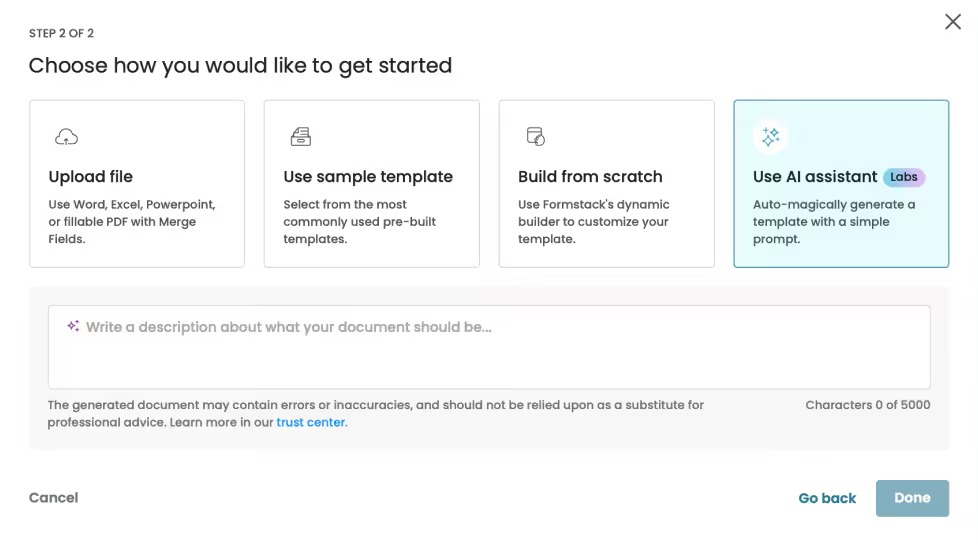
Enable your teams to seamlessly digitize their most critical documents. With our AI-Powered Document Builder, creating document templates is as easy as a few clicks.
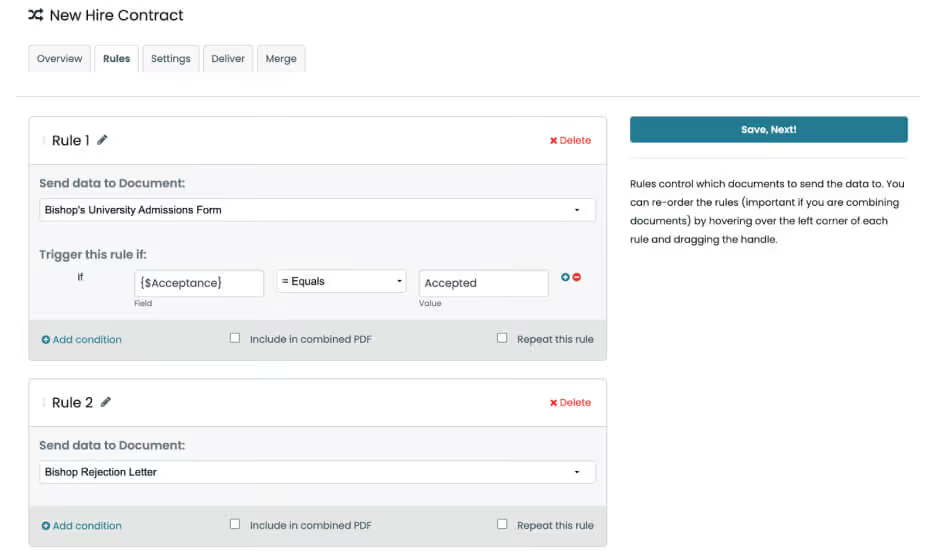
We know that not every process is created equal. Experience the power of flexibility by combining files or generating multiple documents from a single source to simplify and automate even the most complex processes.

Rely on trusted security features like SSL, encryption, and firewalls to keep your document automation secure.
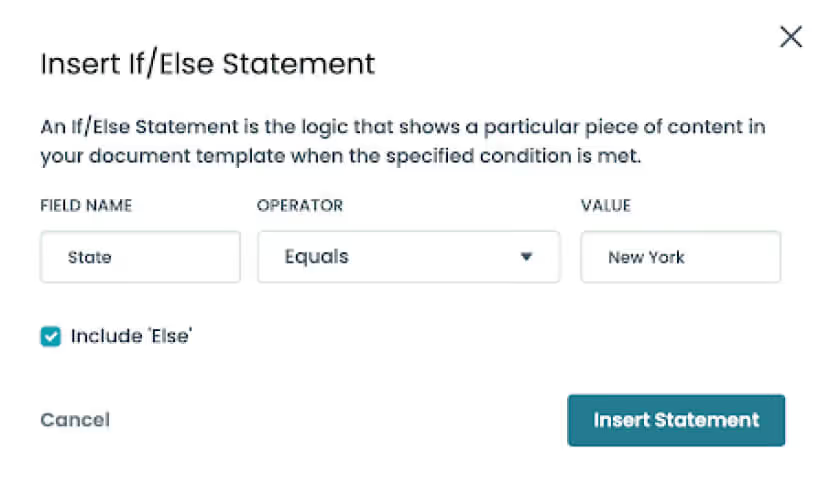
Personalize documents with dynamic content that adapts to your data, displaying only relevant sections for a polished and precise output without manual adjustments.
Upload your existing documents into Formstack Documents or create a new template using our powerful AI-Document Builder.

Connect to your core business systems (Salesforce, Hubspot, SharePoint and more) to dynamically populate your document templates with existing data.

Choose from a wealth of built-in delivery integrations to get your documents to where they need to be; whether that be through Formstack Sign, your CRM or document repository systems.


Formstack Documents is a no-code document generation tool that turns business data into professional, dynamic documents while automating creation, personalization, and delivery.
Users create or upload a template, connect their business data, and automatically generate completed documents for delivery through connected systems.
Yes. Formstack supports DOCX, PPTX, PDF, and CSV templates, or users can create new templates with its AI-powered Document Builder.
It connects with platforms such as Salesforce, HubSpot, and SharePoint and can integrate with custom business systems through the Documents API.
Yes. Teams can generate multiple documents, combine files, and use conditional sections to display content based on the data provided.
Formstack Documents uses security features such as SSL, encryption, firewalls, secure downloads, and document encryption to protect automated document workflows.